
BookBreathe for beauty businesses.
More time with your clients.
A clearer way to manage treatment bookings.
Give clients one place to enquire about treatments, review a tailored quote and pay a deposit for a date you agree together.

Keep the treatment details with the booking.
Get the details before you reply.
Ask about the preferred date, treatment combination and timing in a form you can tailor.
Quote treatments together.
Save treatments you offer often and combine them into a clear quote for a client or small group.
Keep follow-ups in view.
See confirmed bookings and appointments on the calendar, alongside any quoted enquiries you choose to show.
A facial and manicure appointment
A facial and manicure in one visit before a special occasion. Explore the booking in real BookBreathe screens from Juniper Beauty Studio, a fictional business.
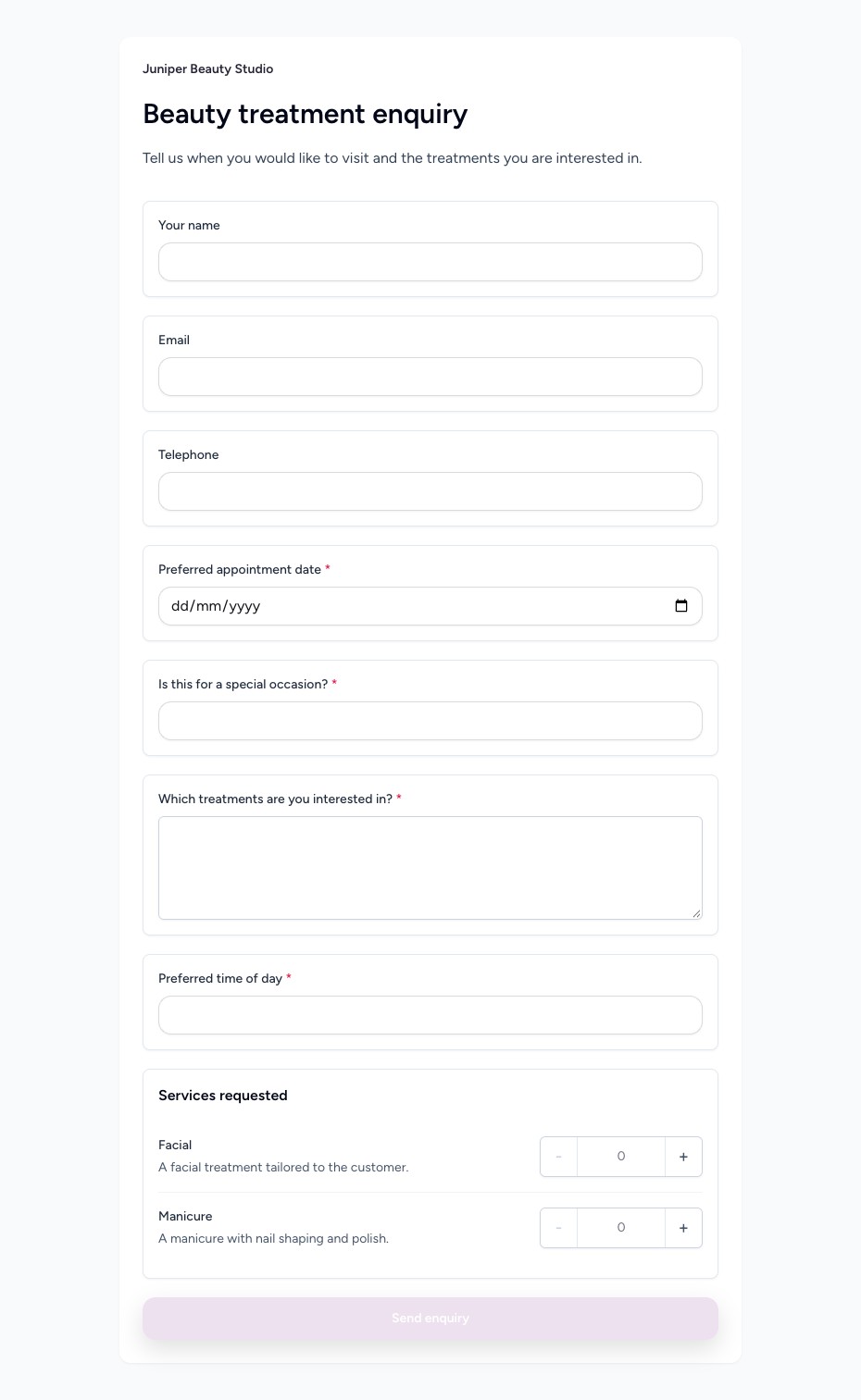
Beauty treatment enquiry
Ask about the preferred date, treatment combination and timing in a form you can tailor.
 View full size
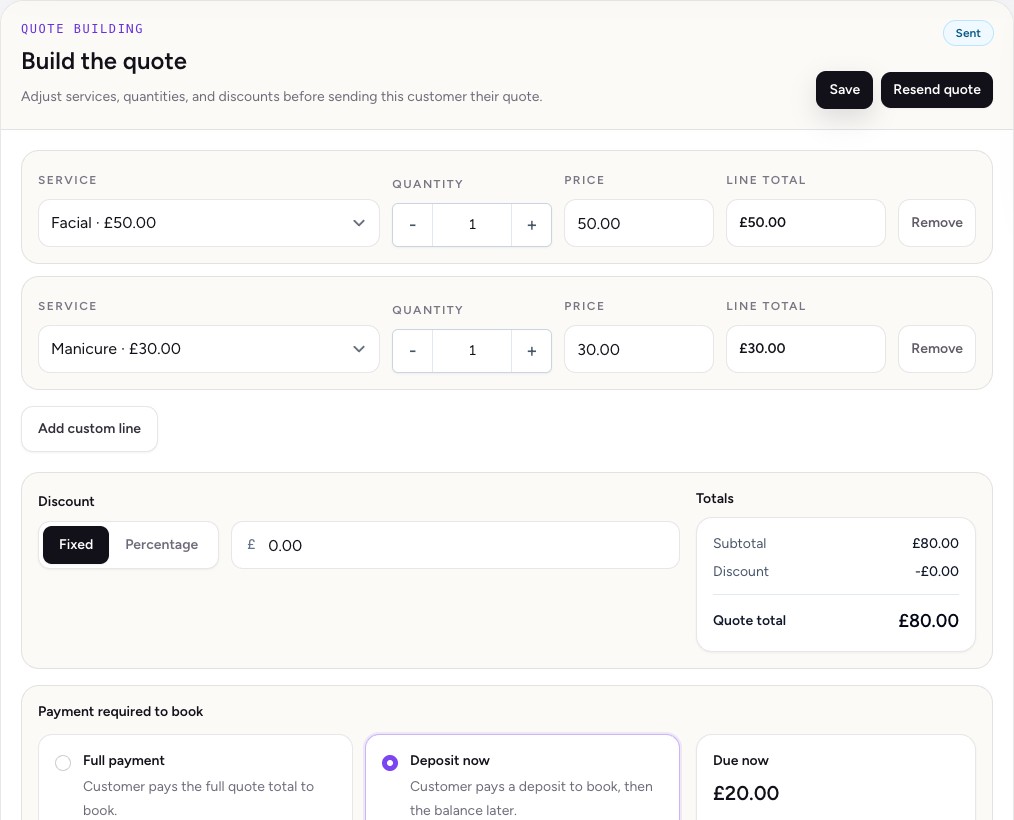
Build a quote from your services.
Combine a facial and manicure in a single quote, with the deposit shown before checkout.
 View full size
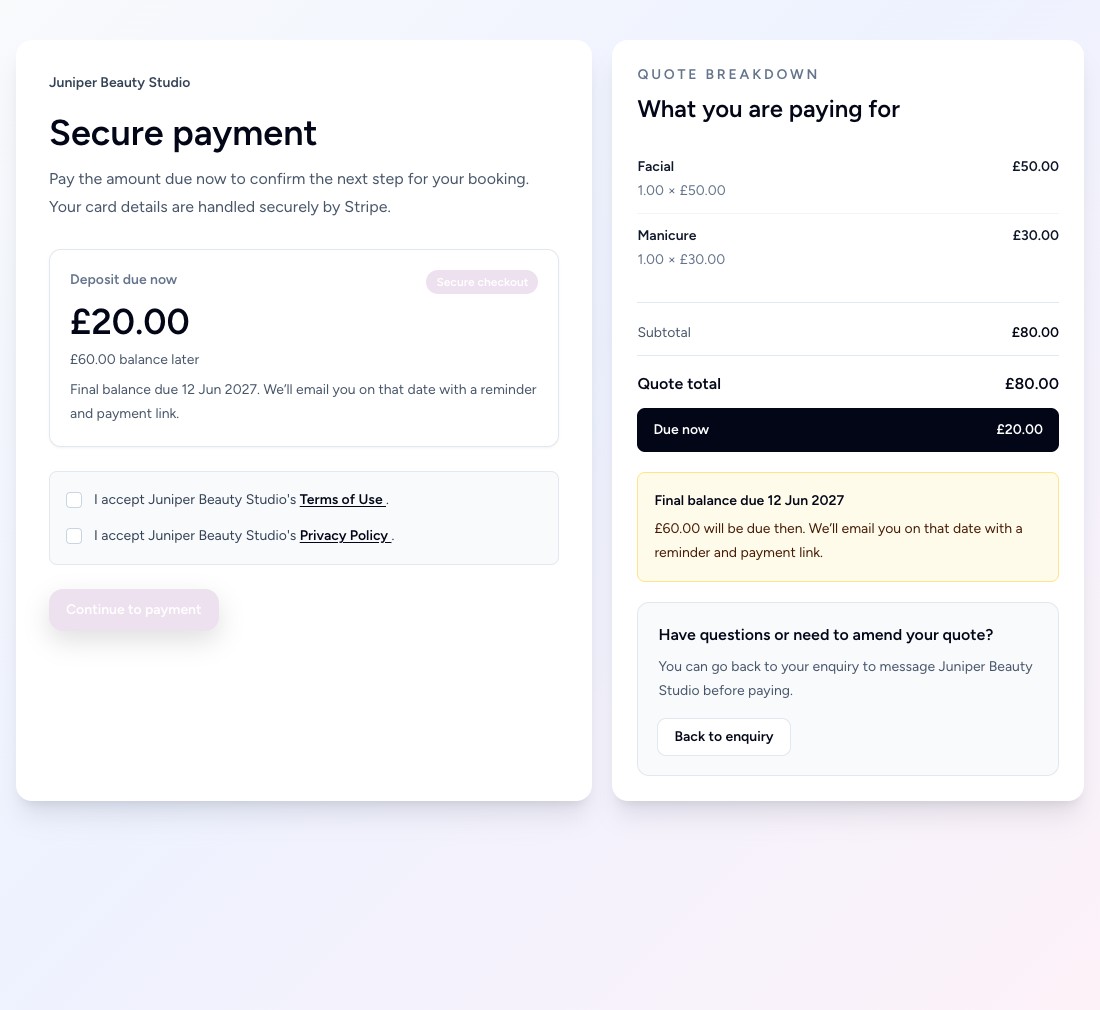
Show exactly what’s due to book.
In this example, the client sees the itemised quote and the £20.00 deposit before paying.
 View full size
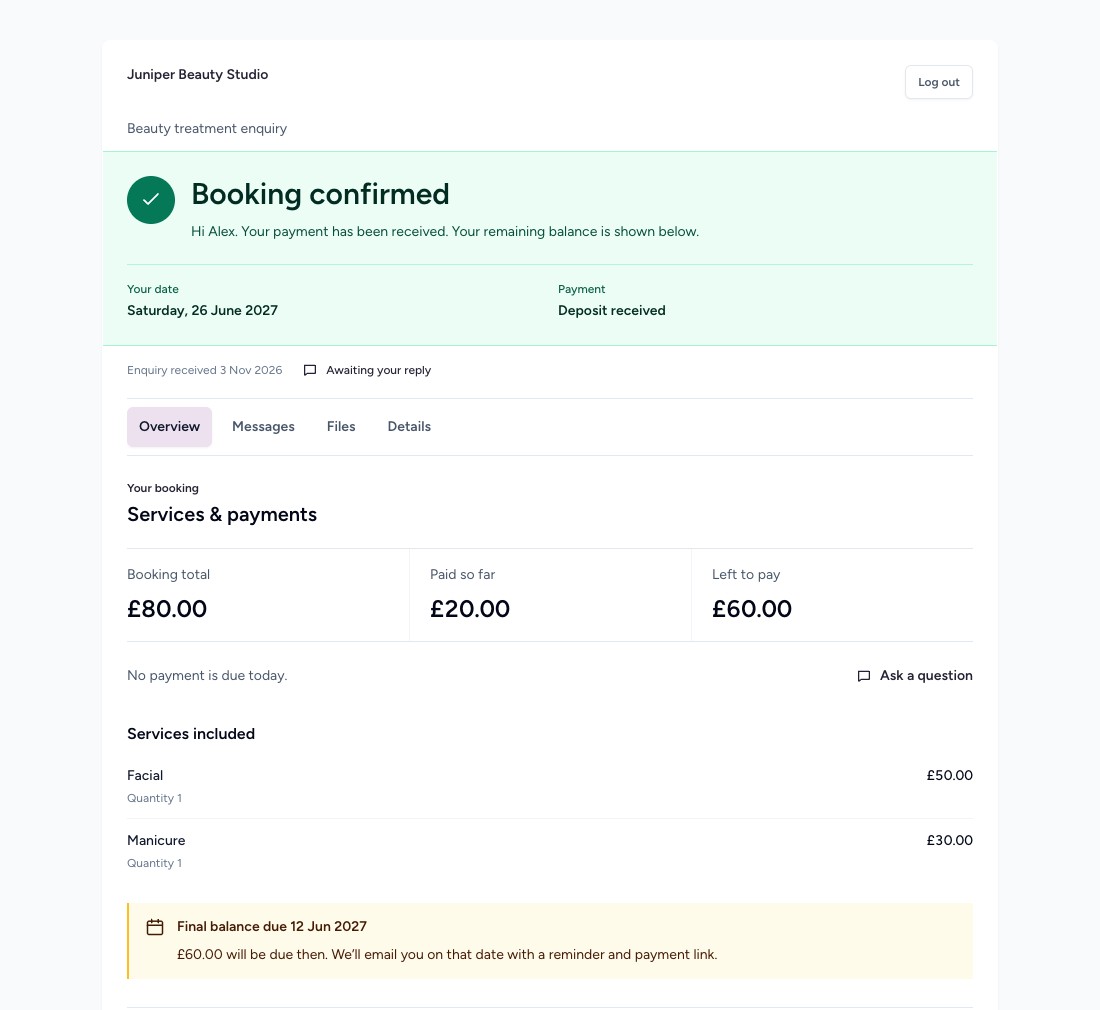
Keep the confirmed booking in one place.
The client can check the date, what they’ve paid and what’s left, then return to the same workspace for messages and files.
 View full size
Get the date confirmed and the balance paid.
Set your payment terms on the quote so your client knows what’s due when they book and what’s due later.

Choose a deposit that suits the booking
Set a fixed amount or percentage and choose when to collect the balance.
Let BookBreathe follow up
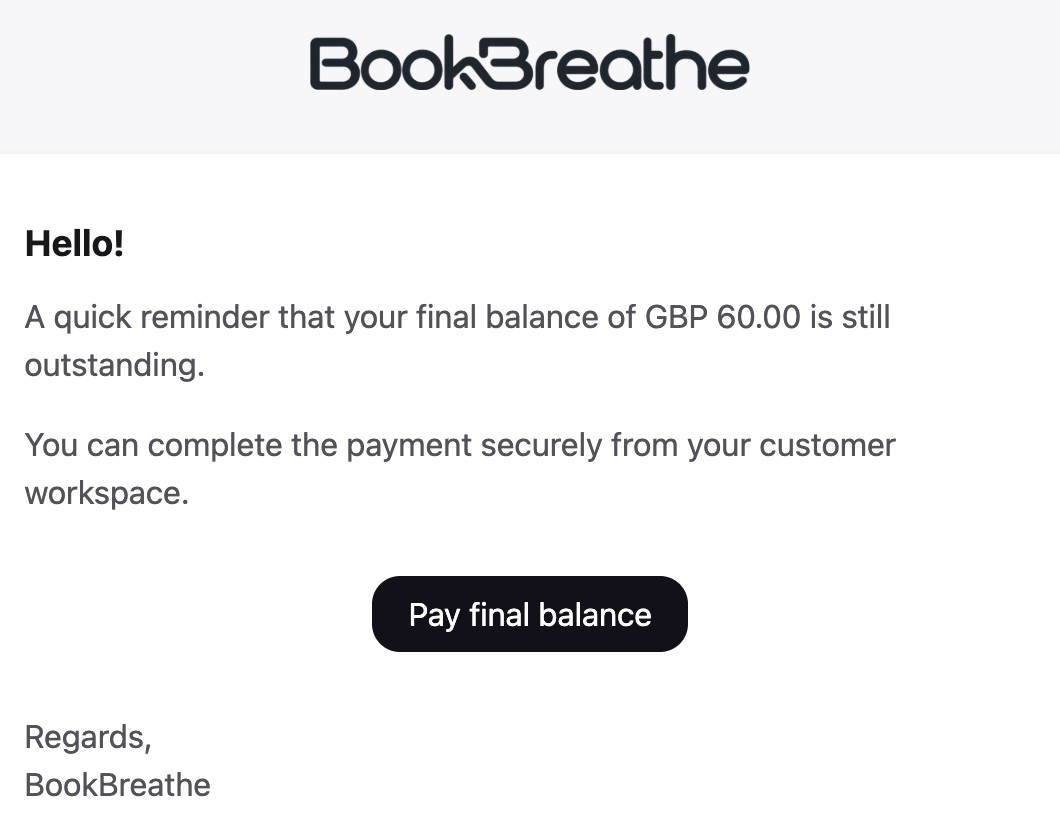
Automatically follow up on quotes, request the final payment and remind clients about outstanding balances using your settings.
Keep payment records together
See what has been paid and what’s due. Clients can access available Stripe receipts in their booking workspace.
Questions about your setup?
How does a client book a date?
They request a date through your enquiry form. You can confirm availability with them, then send a quote and payment request for the agreed booking.
Can I use my own branding and prices?
Yes. Add your logo and colours to the customer experience and set your own service prices. Your client sees the price when you send their personalised quote.
Where do clients find their booking?
Clients access their private workspace through email verification. They can revisit their quote, payment details, messages and shared files there.
How can I try BookBreathe?
Create your free account and follow the setup steps to add your services and enquiry form. You can also compare the plans.
Make more time for the person in your chair.
Give the booking admin one place to live so you can focus on the work you love.